When you are building a PivotTable based on two related tables you may see unusual layouts that don’t make sense. Don’t worry, when you add values to the table all will be fixed.
Monthly Archives: August 2018
Conditional Format Feedback
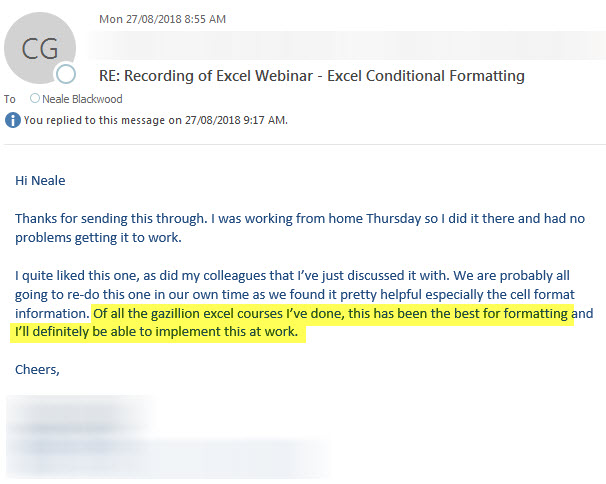
The Conditional Format webinars I ran in August were popular and well received- 94% feedback score.
An email I received recently is shown below.
To watch the recording and download the materials click here.
Power Query
Its always great to receive e-mails like this. Power Query is a game changer.

Free Excel Webinar Recording – Conditional Formatting
Feedback score 94%
My free Excel webinar for August 2018 covered Conditional Formats. Download the materials using the button below and watch the video.
CPD note – if you are claiming CPD for watching this recording you need to keep your own records. People who attend the live sessions receive an annual listing of attendances.
Content applies to Excel 2010 and later versions.
This session will take you through the basics, as well as an introduction to formula-based formats.
- Data bars
- Creating a progress bar using a Data bar
- Colour scales – traffic light colours
- Amending the default settings – getting the result you want
- Icon sets – icons can be better for colour blind people
- Cell-based rules – make the most of built-in features
- Working with dates automatically
- Formula-based rules – use formulas and functions to gain total control over conditions
Depreciation using the INDEX function
Alternative to OFFSET
Recently Liam Bastick (Excel MVP) wrote an article about using the OFFSET function to calculate depreciation in financial models. You can check out the full article here.
Adding a Vertical Dotted Line to an Excel Line Chart
An error bar solution
When plotting Actuals and Forecasts on a single line chart you may want to use a vertical dotted line to identify where the Actuals finish and the Forecasts begin.
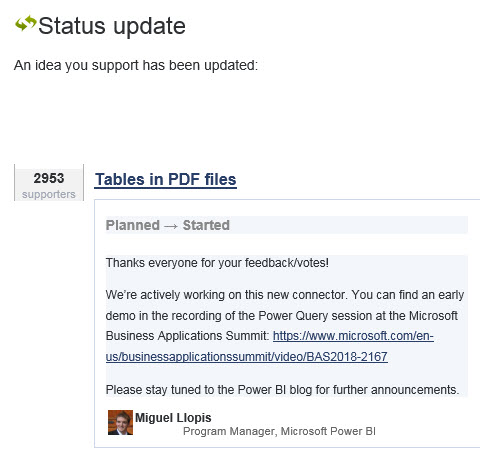
Import PDF Update
The Power Query engine keeps getting better.
Hopefully soon it will handle PDF documents.
As at August 2020 PDF import is live in the subscription version.
Copying Without Affecting Relative References
Works for Excel 2013 onwards
There is an easy technique to copy a single formula and paste it without affecting relative references but what if you wanted to paste lots of formulas?