In Excel you can us Save As to save a file as a pdf, but it isn’t quite as effective in Excel as it is for MS Word. Often you only want to save a single sheet or a few sheets to pdf. Try this.
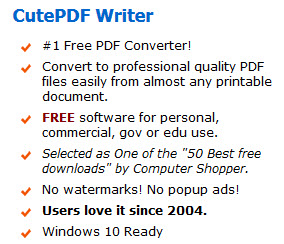
I use a free Windows App called CutePDF Writer. It is OK to use it for commercial use – see image below from their website.
This app works just like a printer. You make your printing selections as per normal and then select CutePDF Writer as your printer and Print.
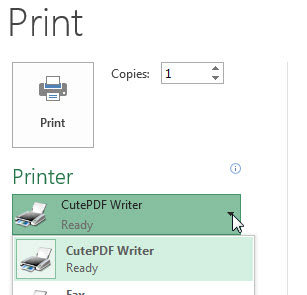
It opens a dialog where you can select what to call the file and where to save it.
Click the button below to see more details of CutePDF Writer and to download it.
Go to CutePDF site for more details
If you are interested in using a macro to automate the pdf process you can check out the button below to go to Ron DeBruin’s site. His page has lots of resources on pdf and emailing.
Link to Ron Debruin’s pdf page
Hi Neale,
I have been searching for a way to create a mail merge in MS Word & then e-mail the documents automatically as a PDF, but despite all my efforts, it appears that this is not possible.
Your link to Ron de Bruin’s site may have given me a workaround solution. I will just need to create the “letter” in Excel instead of in Word. I can then run Ron’s macro (with a few tweaks) to automatically e-mail the PDF from Outlook.
Thanks again for your informative posts!
Cheers
Chris
Hi Chris
Yes, Ron’s site has some excellent code. I have used it to automate email sending and pdf creation.
BTW Excel VBA can create a Word document from text in a sheet.
Glad you found the post useful.
Regards
Neale
Appreciate the recommendation. Let me try it out.