If you need to extract the Australian Financial Year from a date in Power Query here is how to do it.
This is based on tip from Matt Allington, the PBI expert.
I did post a while back for Excel, this one covers Power Query.
The Australian Financial Year starts on 1 July and ends on 30 June.
Let’s assume the column you want to use is called Date. You want the financial year for the 2020-2021 year to return 2021. The Date column should be a Date or a Date/Time Data type.
In the Power Query window click the Add Column tab and click the Custom Column icon.
The formula is
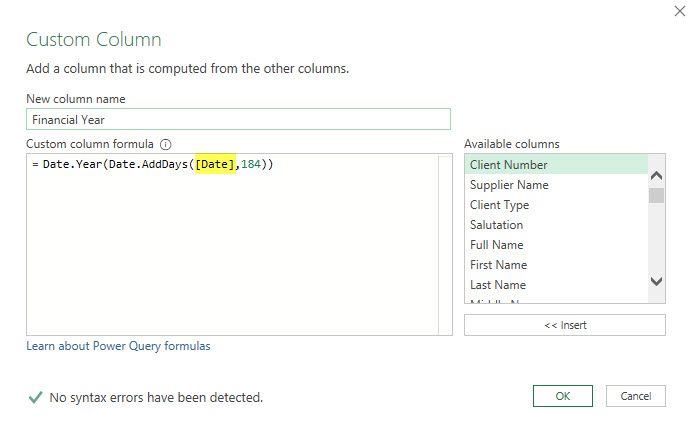
=Date.Year(Date.AddDays([Date],184))
Note: Power Query is case sensitive, so make sure you get the cases correct. The window should look like this.
Click OK and you are good to go.
Why 184 days?
There are 184 days in the second half of the year – 1/7 to 31/12 – inclusive.
Can this be solved for leap years?
I don’t think the leap year is an issue when calculating the financial year.