There is a keyboard shortcut to select the first column in a row, but as far as I know there is no shortcut for the first row in a column.
You can press the Home key to select the first column in the current row.
Selecting the first row in the current column is not so easy. Here are a couple of ways.
Ctrl key
Hold Ctrl then press Space Bar then press the full stop . then press the Up arrow. You can release the Ctrl key after the full stop.

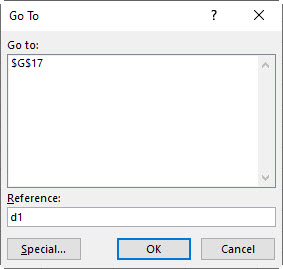
F5 function key
Press the F5 function key then type in the cell reference eg d1 and then press Enter. You can do this to select any cell in the sheet.
What about End+UpArrow ?
Hi Rick
Thanks Rick – that only works for me if all cells have entries and then Ctrl + up arrow works.
Yeah, bad testing on my part. I do have one that does work but it is three keystrokes (“easy” ones though)…
Shift+PageUp
Tab
Up Arrow
Yep that works.